使用Selenium实现自动化数据采集实战
本文演示如何利用Selenium框架结合Python,从指定站点提取公开报告数据并下载相关文档。
法律与道德声明
本项目仅用于教育和研究目的。禁止将代码或采集结果用于任何违反法律法规、侵犯隐私、干扰服务或商业牟利的行为。
核心目标
- 访问目标站点:https://report.iresearch.cn
- 采集免费报告的标题、所属领域、作者、摘要及原始文件链接
环境准备
安装Selenium
pip install -i https://pypi.douban.com/simple selenium
浏览器驱动配置(以Edge为例)
- 在浏览器设置中查看版本号:菜单 → 设置 → 关于Microsoft Edge
- 前往官方驱动页面下载对应版本
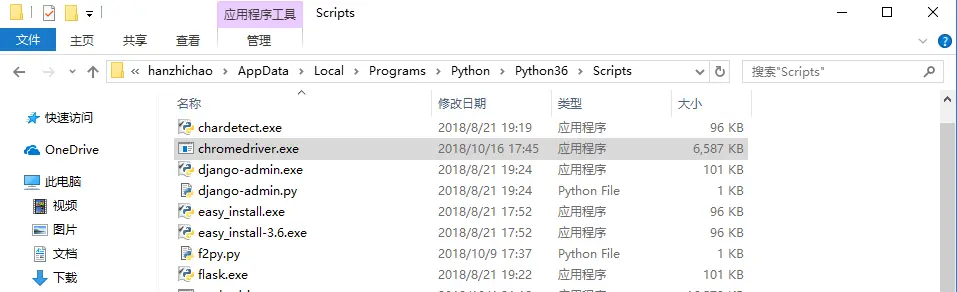
- 解压后将驱动文件置于系统PATH路径或脚本同目录
核心逻辑实现
1. 浏览器初始化
from selenium import webdriver
from selenium.webdriver.edge.options import Options

opts = Options()
opts.add_argument('--ignore-certificate-errors')
opts.add_argument('--disable-extensions')
opts.add_argument('--no-sandbox')
opts.add_argument('--disable-gpu')

browser = webdriver.Edge(options=opts)
2. 动态加载内容
from selenium.webdriver.support.ui import WebDriverWait
from selenium.webdriver.support import expected_conditions as EC
from selenium.webdriver.common.by import By
import time

browser.get('https://report.iresearch.cn/')

waiter = WebDriverWait(browser, 10)
click_count = 0

while click_count < 10:
    try:
        btn = waiter.until(
            EC.element_to_be_clickable((By.ID, 'loadbtn'))
        )
        btn.click()
        click_count += 1
        print(f"已触发加载 {click_count} 次")
        time.sleep(2)
    except:
        break

time.sleep(3)  # 等待最终渲染
3. 数据提取与存储
import pandas as pd

records = []
items = browser.find_elements(By.CSS_SELECTOR, 'li[id^="freport."]')

for item in items:
    try:
        title_elem = item.find_element(By.TAG_NAME, 'h3')
        link_elem = item.find_element(By.TAG_NAME, 'a')
        desc_elem = item.find_elements(By.TAG_NAME, 'p')
        tag_elems = item.find_elements(By.CSS_SELECTOR, '.link a')
        time_elem = item.find_element(By.CSS_SELECTOR, '.time span')

        record = {
            "标题": title_elem.text.strip(),
            "链接": link_elem.get_attribute('href'),
            "描述": desc_elem[0].text.strip() if desc_elem else "",
            "标签": ", ".join([t.text for t in tag_elems]),
            "发布日期": time_elem.text.strip()
        }
        records.append(record)
    except Exception as ex:
        continue

df = pd.DataFrame(records)
df.to_csv('reports_summary.csv', encoding='utf-8-sig', index=False)
4. 构建下载链接
import re

with open('found_links.txt', 'r', encoding='utf-8') as f:
    raw_urls = [line.strip() for line in f.readlines()]

pattern = r'/(\d+)\.shtml'
download_urls = []

for url in raw_urls:
    match = re.search(pattern, url)
    if match:
        report_id = match.group(1)
        download_url = f'https://report.iresearch.cn/include/ajax/user_ajax.ashx?reportid={report_id}&work=rdown&url=https%3A%2F%2Freport.iresearch.cn%2Freport%2F202505%2F{report_id}.shtml'
        download_urls.append(download_url)

with open('download_queue.txt', 'w', encoding='utf-8') as f:
    f.write('\n'.join(download_urls))
5. 自动化下载(需登录状态)
import random

# 初始化浏览器并注入会话Cookie
browser.get('https://report.iresearch.cn/')

session_cookies = [
    {'name': 'iRsUserId', 'value': 'YOUR_ID'},
    {'name': 'iRsUserType', 'value': '49'},
    {'name': 'iRsUserGroup', 'value': '48'}
]

for cookie in session_cookies:
    browser.add_cookie(cookie)

browser.refresh()
time.sleep(3)

# 执行下载请求
with open("download_queue.txt", "r", encoding="utf-8") as f:
    urls = [line.strip() for line in f if line.strip()]

for i, target_url in enumerate(urls, 1):
    try:
        browser.get(target_url)
        print(f"[{i}/{len(urls)}] 请求下载: {target_url}")
        time.sleep(random.uniform(2, 5))

        if random.random() < 0.15:
            browser.refresh()
            time.sleep(2)

    except Exception as e:
        print(f"失败: {str(e)[:60]}...")
        continue

browser.quit()