基于 Spring Boot Admin 的微服务监控中心构建
背景与动机
Spring Boot Actuator 为单个应用提供了丰富的运行时监控能力,涵盖健康检查、内存、线程、堆栈等指标。然而,当集群规模扩大时,直接调用各个端点并解析 JSON 输出不仅效率低下,而且对运维人员并不友好。Spring Boot Admin 正是为此而生,它将 Actuator 数据通过美观的 Web UI 集中展示,并支持安全认证与邮件告警,极大提升了可观测性体验。
搭建监控服务端
服务端负责收集所有客户端上报的 Actuator 信息,并渲染到前端界面。以下使用 Spring Boot 2.x 与 spring-boot-admin-starter-server 进行构建。
1. 依赖配置
<dependency>
    <groupId>de.codecentric</groupId>
    <artifactId>spring-boot-admin-starter-server</artifactId>
    <version>2.1.5</version>
</dependency>
2. 基础参数
server:
  port: 8088

spring:
  application:
    name: admin-server
3. 启动类
@SpringBootApplication
@EnableAdminServer
public class MonitorServerApplication {

    public static void main(String[] args) {
        SpringApplication.run(MonitorServerApplication.class, args);
    }
}
至此,服务端已可运行,并暴露管理界面。接下来我们为它增加安全防护和异常通知。
4. 集成安全模块
引入登录界面与 Spring Security,实现基于表单的认证。
<dependency>
    <groupId>de.codecentric</groupId>
    <artifactId>spring-boot-admin-server-ui-login</artifactId>
    <version>1.5.7</version>
</dependency>
<dependency>
    <groupId>org.springframework.boot</groupId>
    <artifactId>spring-boot-starter-security</artifactId>
</dependency>
配置文件中定义管理员账号:
security:
  user:
    name: ${admin.user:admin}
    password: ${admin.pass:admin123}
安全策略配置类:
@Configuration
@EnableWebSecurity
public class AdminSecurityConfig extends WebSecurityConfigurerAdapter {

    @Override
    protected void configure(HttpSecurity http) throws Exception {
        http.formLogin()
            .loginPage("/login.html")
            .loginProcessingUrl("/login")
            .permitAll()
            .and()
            .logout().logoutUrl("/logout")
            .and()
            .csrf().disable();

        http.authorizeRequests()
            .antMatchers("/login.html", "/**/*.css", "/img/**", "/third-party/**")
            .permitAll()
            .anyRequest().authenticated()
            .and()
            .httpBasic();
    }
}
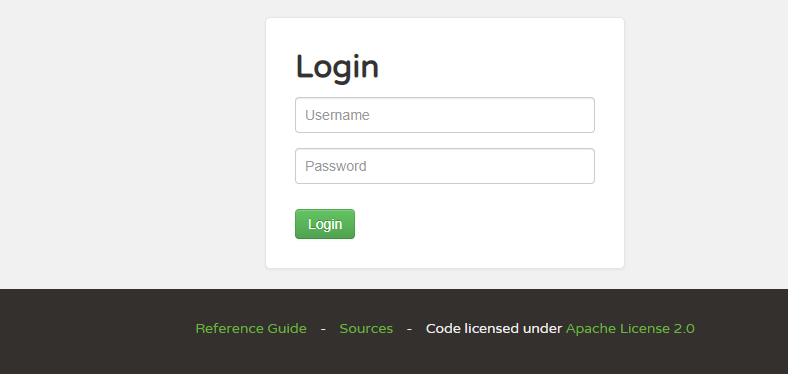
登录界面效果:
5. 邮件告警通知
当监控的应用状态发生变化时,通过邮件及时通知运维人员。
<dependency>
    <groupId>org.springframework.boot</groupId>
    <artifactId>spring-boot-starter-mail</artifactId>
</dependency>
邮件服务器配置:
spring:
  mail:
    host: smtp.exmail.qq.com
    port: 465
    username: your-email@domain.com
    password: your-password
    properties:
      mail:
        smtp:
          auth: true
          starttls:
            enable: true
          ssl:
            trust: smtp.exmail.qq.com
自定义通知器,监听状态变更事件并发送邮件:
@Configuration
@EnableScheduling
public class AlertNotifierConfiguration {

    private static final Logger log = LoggerFactory.getLogger(AlertNotifierConfiguration.class);

    @Autowired
    private JavaMailSender mailSender;

    @Bean
    @Primary
    public RemindingNotifier remindingNotifier() {
        RemindingNotifier notifier = new RemindingNotifier(new AbstractEventNotifier() {
            @Override
            protected void doNotify(ClientApplicationEvent event) {
                if (event instanceof ClientApplicationStatusChangedEvent) {
                    ClientApplicationStatusChangedEvent statusEvent = (ClientApplicationStatusChangedEvent) event;
                    String appName = event.getApplication().getName();
                    String appId = event.getApplication().getId();
                    String healthUrl = event.getApplication().getHealthUrl();
                    String from = statusEvent.getFrom().getStatus();
                    String to = statusEvent.getTo().getStatus();
                    String time = new SimpleDateFormat("yyyy-MM-dd HH:mm:ss")
                            .format(new Date(statusEvent.getTimestamp()));

                    String message = String.format("应用 %s (ID: %s, Health: %s) 状态从 %s 变为 %s,时间: %s",
                            appName, appId, healthUrl, from, to, time);
                    log.warn(message);

                    SimpleMailMessage mail = new SimpleMailMessage();
                    mail.setFrom("alert@domain.com");
                    mail.setTo("ops@domain.com");
                    mail.setSubject(appName + " 状态变更");
                    mail.setText(message);
                    mailSender.send(mail);
                } else {
                    log.info("事件: {} - {} ({})", event.getApplication().getName(),
                            event.getApplication().getId(), event.getType());
                }
            }
        });
        notifier.setReminderPeriod(TimeUnit.MINUTES.toMillis(5));
        return notifier;
    }

    @Scheduled(fixedRate = 60_000L)
    public void sendPendingReminders() {
        remindingNotifier().sendReminders();
    }
}
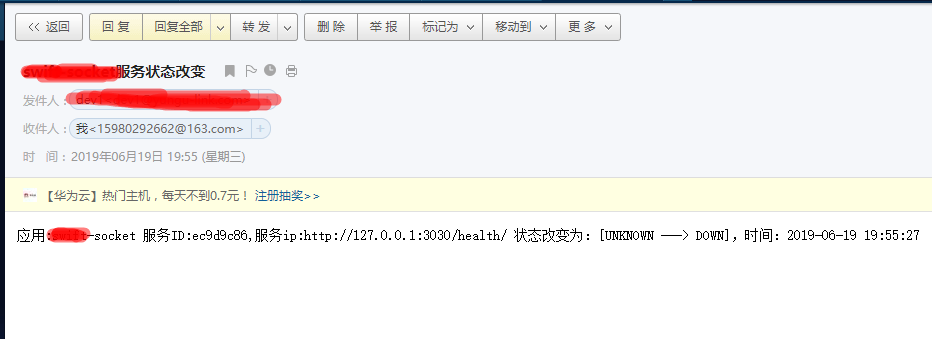
邮件通知示例:
客户端注册
每个需要监控的 Spring Boot 应用只需引入客户端依赖,并指向服务端地址即可自动注册。
1. 依赖引入
<dependency>
    <groupId>de.codecentric</groupId>
    <artifactId>spring-boot-admin-starter-client</artifactId>
    <version>2.1.5</version>
</dependency>
2. 客户端配置
spring:
  application:
    name: order-service
  boot:
    admin:
      client:
        enabled: true
        instance:
          name: ${spring.application.name}
          prefer-ip: true
        url: http://127.0.0.1:8088
management:
  endpoints:
    web:
      exposure:
        include: '*'
启动客户端后,服务端界面即可看到该实例的详细信息及实时指标。
监控面板展示
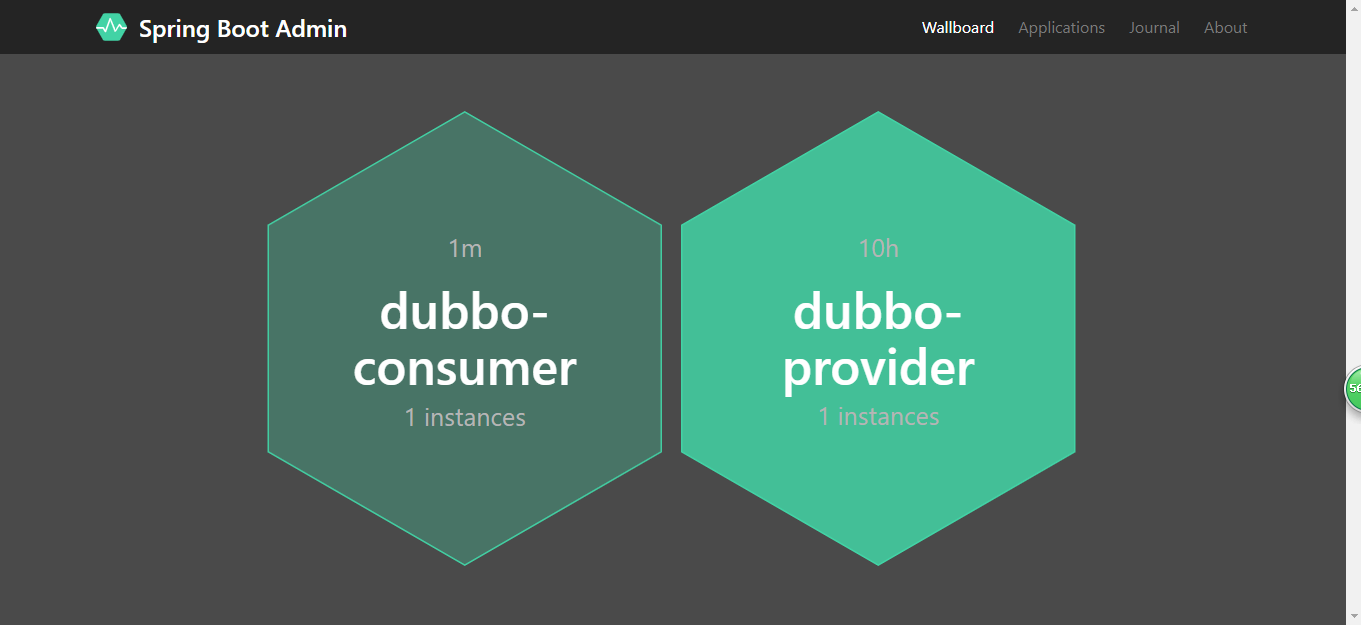
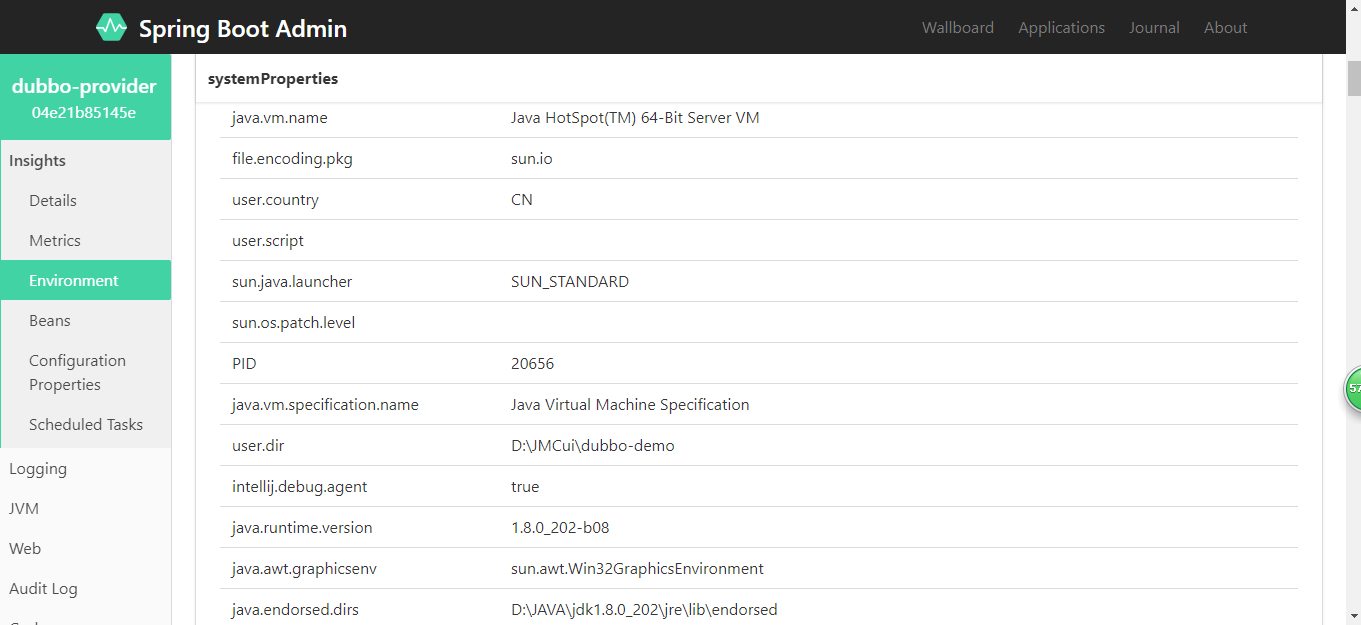
通过 Spring Boot Admin,运维人员可以直观地掌握所有微服务的健康状况、JVM 指标、日志等,结合告警机制,显著提升了故障响应速度。
