基于Spring Boot的校友录管理系统设计与实现
项目背景
随着信息技术的快速发展,数字化校友管理成为现代教育领域的重要课题。传统纸质校友录存在信息存储不便、难以实时更新、无法实现远程互动等局限。本项目采用Web开发技术构建一个集个人信息管理、动态发布、留言互动功能于一体的在线校友平台,旨在解决毕业后同学间联系中断、情感疏离的问题。该系统响应教育信息化发展趋势,利用数据库技术实现高效数据管理,同时融入社交元素提升用户体验,为校园社交场景提供可持续的数字化解决方案。
技术栈
- 后端框架:Spring Boot
- 开发语言:Java
- JDK版本:JDK 1.8
- Web服务器:Tomcat 7
- 数据库:MySQL 5.7
- 数据库管理工具:Navicat 11
- 集成开发环境:Eclipse/IntelliJ IDEA
- 项目构建工具:Maven 3.3.9
- 前端技术:JSP
环境配置说明
后台管理入口:localhost:8080/项目名称/admin/dist/index.html
前台访问入口:localhost:8080/项目名称/front/dist/index.html
默认管理员账号:admin,密码:admin
核心技术介绍
Spring Boot框架
Spring Boot为Spring框架提供了全新的开发体验,特别适合初学者快速入门。该框架支持运行所有Spring项目,实现无缝迁移。内置的Servlet容器使开发者无需将代码打包为WAR包即可直接运行,极大简化了部署流程。Spring Boot提供了应用监控功能,可在项目运行期间实时监测系统状态,快速定位并解决问题,显著提升开发效率。
Java语言特性
Java作为一种广泛使用的编程语言,既可用于开发桌面应用程序,也可用于构建Web应用的后端服务。Java采用变量操作机制,变量是对数据存储形式的抽象定义,通过内存管理实现数据处理,这种设计使得Java程序具有较强的抗病毒能力。Java具备动态执行特性,类支持继承和重写,开发者可以封装功能模块供其他项目复用。Java的开源特性使其类库可追溯源码,学习者可以参考优秀的编程实践。
MySQL数据库
MySQL是开源关系型数据库的代表,社区版免费使用,体积轻巧适合开发环境。MySQL在全球数据库市场占用率领先,绝大多数互联网企业选择MySQL作为数据存储方案。其主要优势包括:开源免费、支持大容量数据、跨平台兼容、可定制源码等。对于本项目而言,MySQL的基础功能已完全满足需求。
Eclipse开发工具
Eclipse是开源免费的集成开发环境,作为源代码工具具有较高的安全性。Eclipse无需安装,解压即可使用,不会对系统造成负担。启动依赖JDK环境,有效防止恶意代码入侵。Eclipse支持多种编程语言,功能完善且完全免费,非常适合初学者使用。
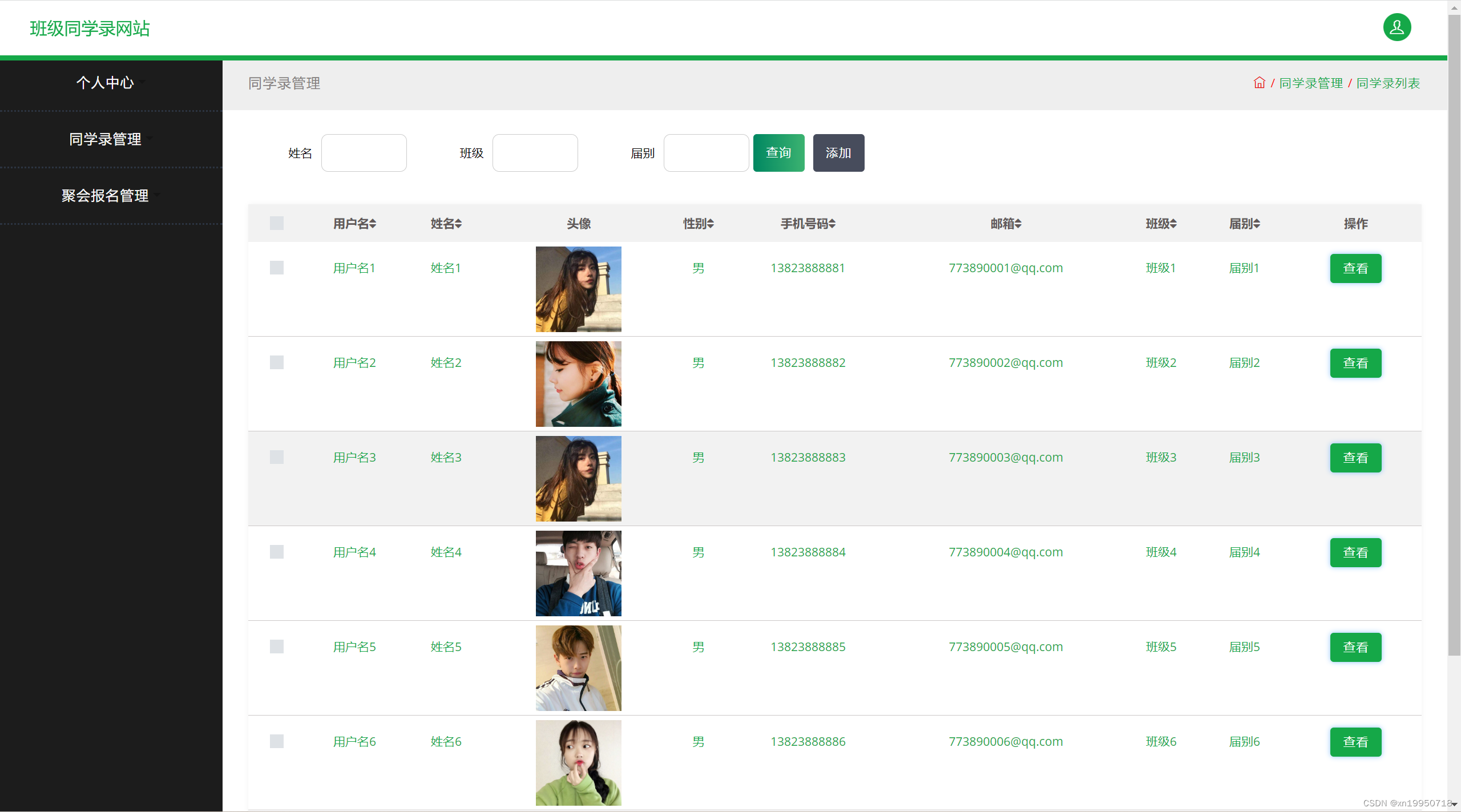
系统功能展示
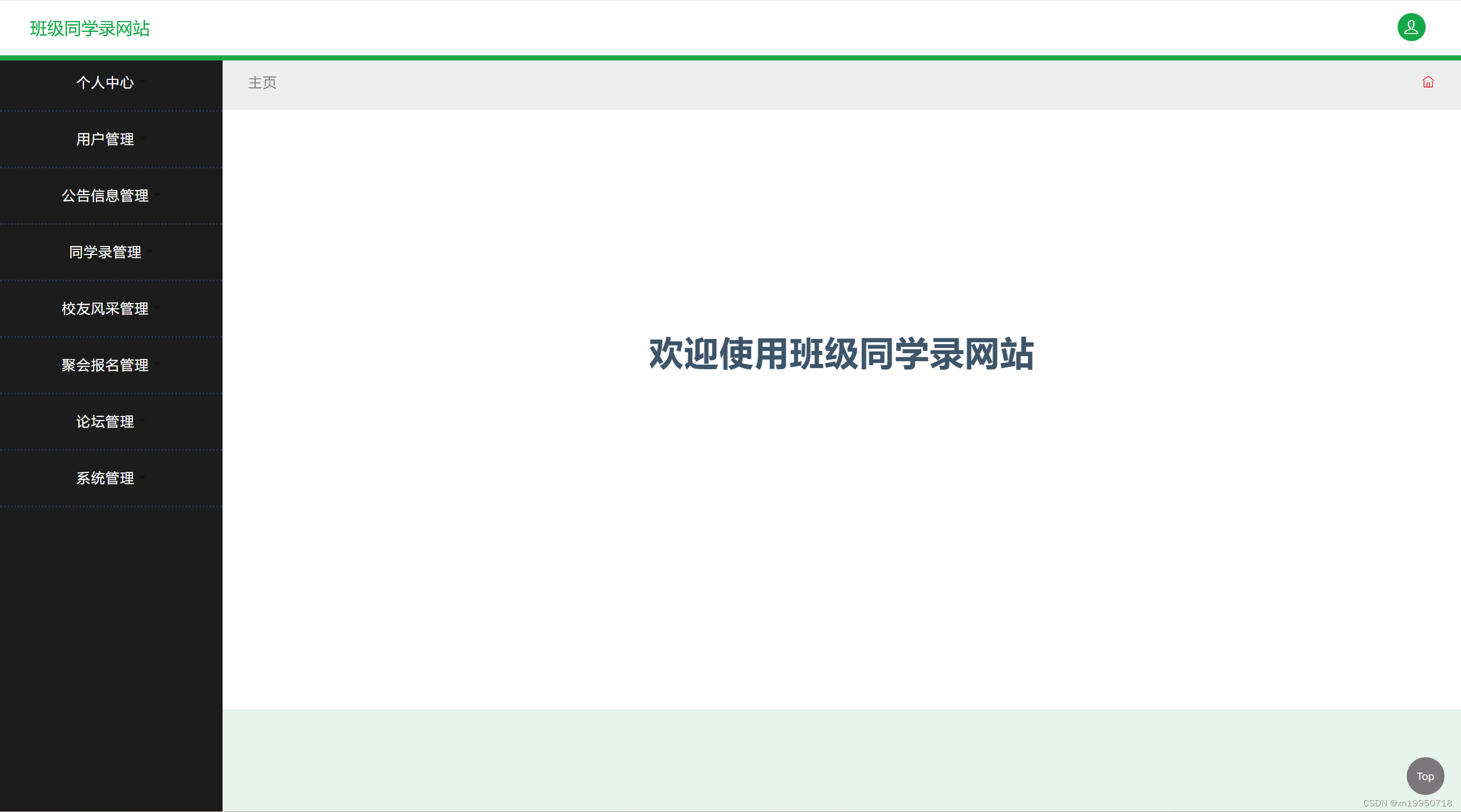
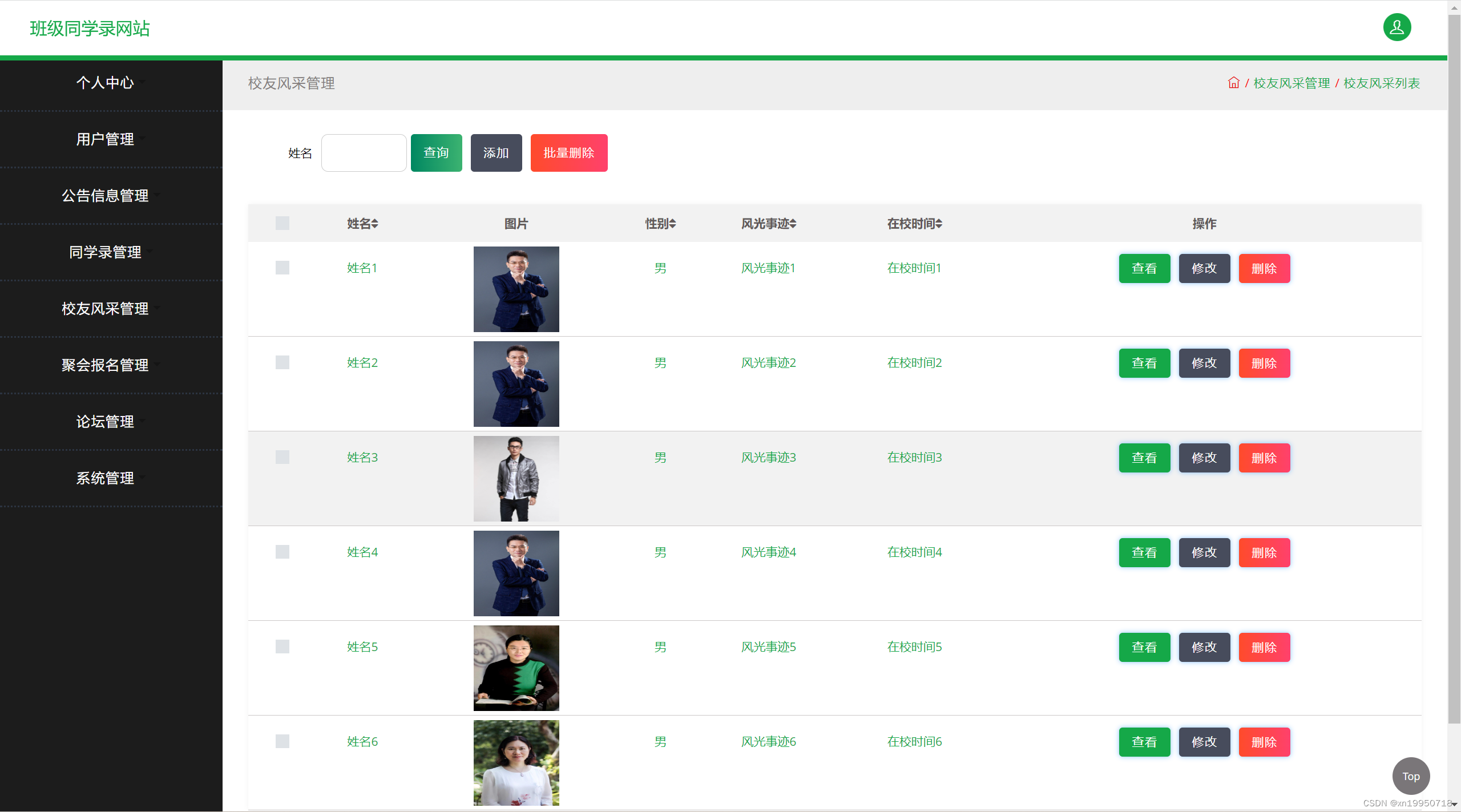
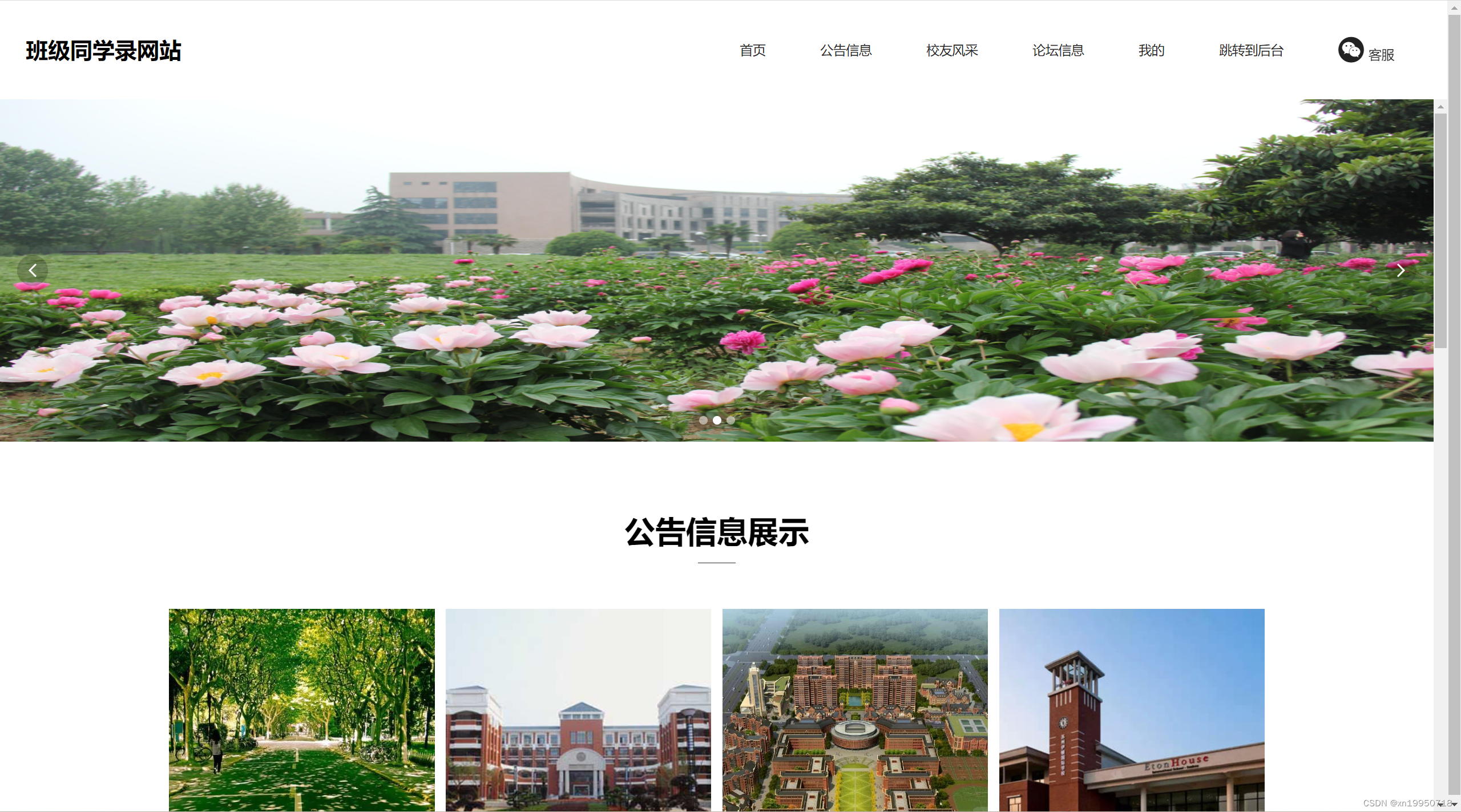
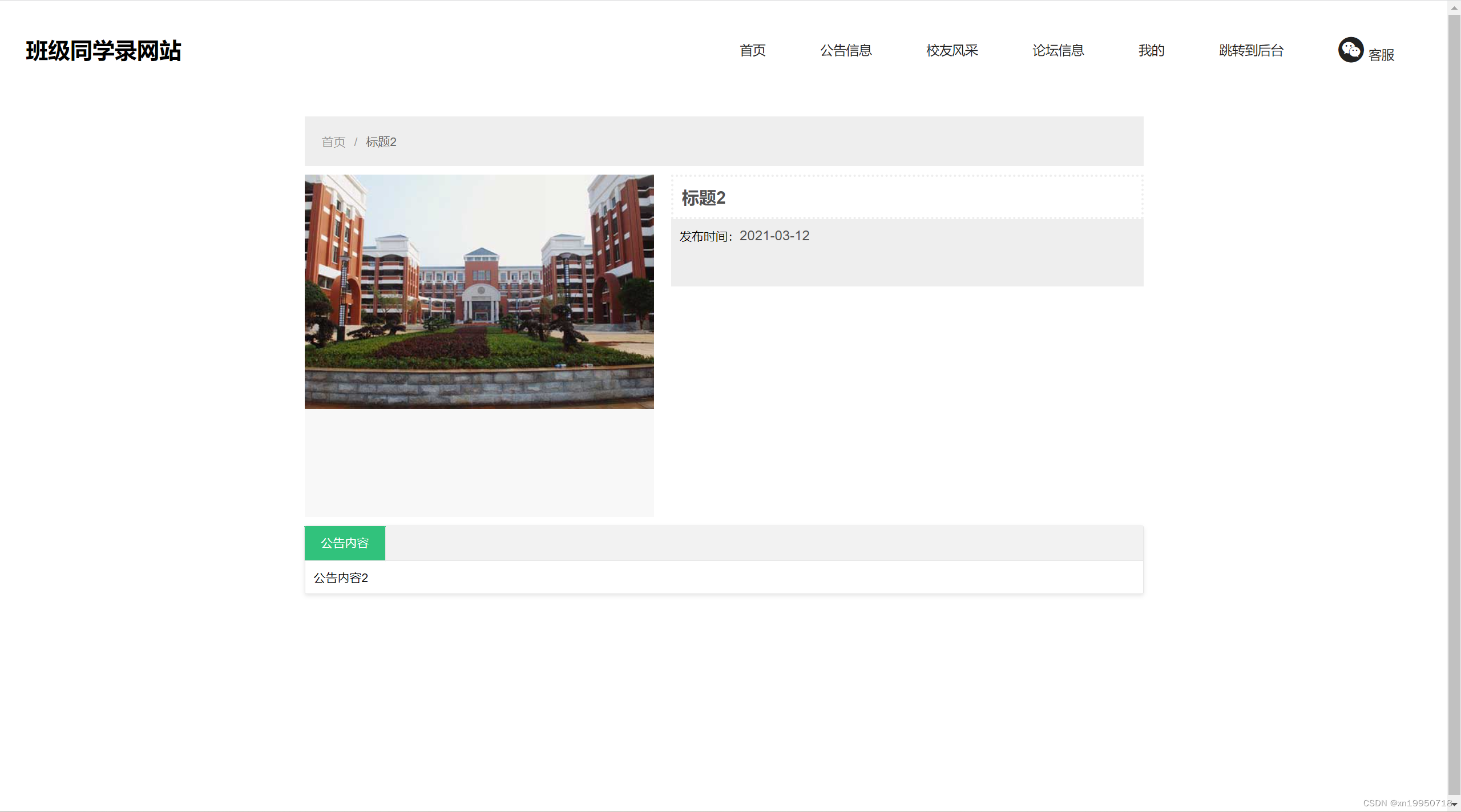
核心代码实现
文件上传控制器实现:
package com.controller;

import java.io.File;
import java.io.IOException;
import java.util.Date;
import javax.servlet.http.HttpServletRequest;
import org.springframework.beans.factory.annotation.Autowired;
import org.springframework.http.HttpHeaders;
import org.springframework.http.HttpStatus;
import org.springframework.http.MediaType;
import org.springframework.http.ResponseEntity;
import org.springframework.util.ResourceUtils;
import org.springframework.web.bind.annotation.*;
import org.springframework.web.multipart.MultipartFile;
import com.annotation.IgnoreAuth;
import com.baomidou.mybatisplus.mapper.EntityWrapper;
import com.entity.ConfigEntity;
import com.entity.AlumniException;
import com.service.ConfigService;
import com.util.ResultWrapper;

/**
 * 资源文件管理控制器
 */
@RestController
@RequestMapping("resource")
public class ResourceController {

    @Autowired
    private ConfigService configService;

    /**
     * 处理文件上传请求
     */
    @PostMapping("/upload")
    @IgnoreAuth
    public ResultWrapper handleUpload(@RequestParam("file") MultipartFile uploadedFile,
                                     @RequestParam(value = "category", required = false) String category) {
        try {
            if (uploadedFile.isEmpty()) {
                throw new AlumniException("上传文件不能为空");
            }

            String originalName = uploadedFile.getOriginalFilename();
            String extension = originalName.substring(originalName.lastIndexOf(".") + 1);

            File baseDir = new File(ResourceUtils.getURL("classpath:static").getPath());
            if (!baseDir.exists()) {
                baseDir = new File("");
            }

            File storageDir = new File(baseDir.getAbsolutePath(), "/storage/");
            if (!storageDir.exists()) {
                storageDir.mkdirs();
            }

            String uniqueFileName = System.currentTimeMillis() + "." + extension;
            File targetFile = new File(storageDir.getAbsolutePath(), "/" + uniqueFileName);
            uploadedFile.transferTo(targetFile);

            if (category != null && "avatar".equals(category)) {
                ConfigEntity config = configService.selectOne(
                    new EntityWrapper<ConfigEntity>().eq("name", "userAvatar")
                );
                if (config == null) {
                    config = new ConfigEntity();
                    config.setName("userAvatar");
                    config.setValue(uniqueFileName);
                } else {
                    config.setValue(uniqueFileName);
                }
                configService.insertOrUpdate(config);
            }

            return ResultWrapper.success().put("filename", uniqueFileName);

        } catch (AlumniException e) {
            throw e;
        } catch (Exception e) {
            e.printStackTrace();
            throw new AlumniException("文件上传失败");
        }
    }

    /**
     * 处理文件下载请求
     */
    @GetMapping("/download")
    @IgnoreAuth
    public ResponseEntity<byte[]> handleDownload(@RequestParam("filename") String filename) {
        try {
            File baseDir = new File(ResourceUtils.getURL("classpath:static").getPath());
            if (!baseDir.exists()) {
                baseDir = new File("");
            }

            File storageDir = new File(baseDir.getAbsolutePath(), "/storage/");
            if (!storageDir.exists()) {
                storageDir.mkdirs();
            }

            File requestedFile = new File(storageDir.getAbsolutePath() + "/" + filename);

            if (requestedFile.exists()) {
                HttpHeaders responseHeaders = new HttpHeaders();
                responseHeaders.setContentType(MediaType.APPLICATION_OCTET_STREAM);
                responseHeaders.setContentDispositionFormData("attachment", filename);
                byte[] fileContent = org.apache.commons.io.FileUtils.readFileToByteArray(requestedFile);
                return new ResponseEntity<>(fileContent, responseHeaders, HttpStatus.CREATED);
            }

            return new ResponseEntity<>(HttpStatus.NOT_FOUND);

        } catch (IOException e) {
            e.printStackTrace();
            return new ResponseEntity<>(HttpStatus.INTERNAL_SERVER_ERROR);
        }
    }
}
数据字典服务实现:
package com.controller;

import java.util.List;
import org.springframework.beans.factory.annotation.Autowired;
import org.springframework.web.bind.annotation.*;
import com.annotation.IgnoreAuth;
import com.entity.DictionaryEntity;
import com.service.DictionaryService;
import com.util.ResultWrapper;

/**
 * 数据字典管理
 */
@RestController
@RequestMapping("dictionary")
public class DictionaryController {

    @Autowired
    private DictionaryService dictionaryService;

    /**
     * 查询字典数据
     */
    @GetMapping("/list")
    public ResultWrapper queryList(@RequestParam(required = false) String dicCode,
                                   @RequestParam(required = false) String dicName,
                                   @RequestParam(defaultValue = "1") Integer page,
                                   @RequestParam(defaultValue = "10") Integer pageSize) {
        DictionaryEntity query = new DictionaryEntity();
        query.setDicCode(dicCode);
        query.setDicName(dicName);

        List<DictionaryEntity> result = dictionaryService.selectList(
            dictionaryService.getWrapper(query)
        );

        return ResultWrapper.success().put("data", result);
    }

    /**
     * 获取字典详情
     */
    @GetMapping("/info/{id}")
    public ResultWrapper getDetail(@PathVariable("id") Long id) {
        DictionaryEntity entity = dictionaryService.selectById(id);
        return ResultWrapper.success().put("detail", entity);
    }

    /**
     * 新增字典数据
     */
    @PostMapping("/save")
    public ResultWrapper save(@RequestBody DictionaryEntity entity) {
        boolean success = dictionaryService.insert(entity);
        return success ? ResultWrapper.success() : ResultWrapper.error("新增失败");
    }

    /**
     * 更新字典数据
     */
    @PutMapping("/update")
    public ResultWrapper update(@RequestBody DictionaryEntity entity) {
        boolean success = dictionaryService.updateById(entity);
        return success ? ResultWrapper.success() : ResultWrapper.error("更新失败");
    }

    /**
     * 删除字典数据
     */
    @DeleteMapping("/delete/{id}")
    public ResultWrapper remove(@PathVariable("id") Long id) {
        boolean success = dictionaryService.deleteById(id);
        return success ? ResultWrapper.success() : ResultWrapper.error("删除失败");
    }
}
系统测试方法
本系统首先在本地开发环境中进行了完整的安装部署和功能测试。在充分熟悉系统架构和处理逻辑的基础上,采用了白盒测试和黑盒测试相结合的方式进行全面验证。
软件测试是软件开发过程中的关键环节,任何软件系统在开发周期中都可能产生各类缺陷。测试的主要目的是发现并定位问题,确保系统质量。
测试计划制定遵循以下原则:所有测试用例均追溯至用户需求;测试计划在编码前制定完成;根据二八法则,重点测试高频使用的核心功能模块;从单元测试逐步扩展至集成测试,确保各模块逻辑正确性和整体系统稳定性。
项目总结
本系统相比同类校友录网站具有以下优势:功能完善、便于后期维护升级、数据库管理便捷、界面友好、操作流畅、运行高效、安全可靠。
技术层面,本系统采用Java实现动态Web页面,具有良好的可维护性和可复用性。Spring Boot框架将表现层与业务逻辑分离,便于模块管理和项目维护。MySQL数据库支持标准SQL语法,具备扩展性强、易于使用、安全性高的特点。
通过本次毕业设计项目,从需求分析、技术选型、系统设计到编码实现,完成了完整的软件开发生命周期实践,达到了预期的学习目标。
